Listen to your audience. Make decisions that matter.

Audience Voice is a modern survey and feedback platform that helps organizations gather, analyze, and act on customer and employee feedback. Create surveys in minutes, reach your audience via email, and turn responses into actionable insights.

Why Audience Voice?

Every decision is better when it’s informed by real voices. Whether you’re measuring satisfaction, collecting event feedback, or running pulse surveys across teams, Audience Voice gives you the tools to ask the right questions and understand the answers. No complex setup, no steep learning curve—just a straightforward way to hear what matters.

Everything you need to run great surveys

Everything you need to create meaningful connections with your audience, all in one platform.

Surveys

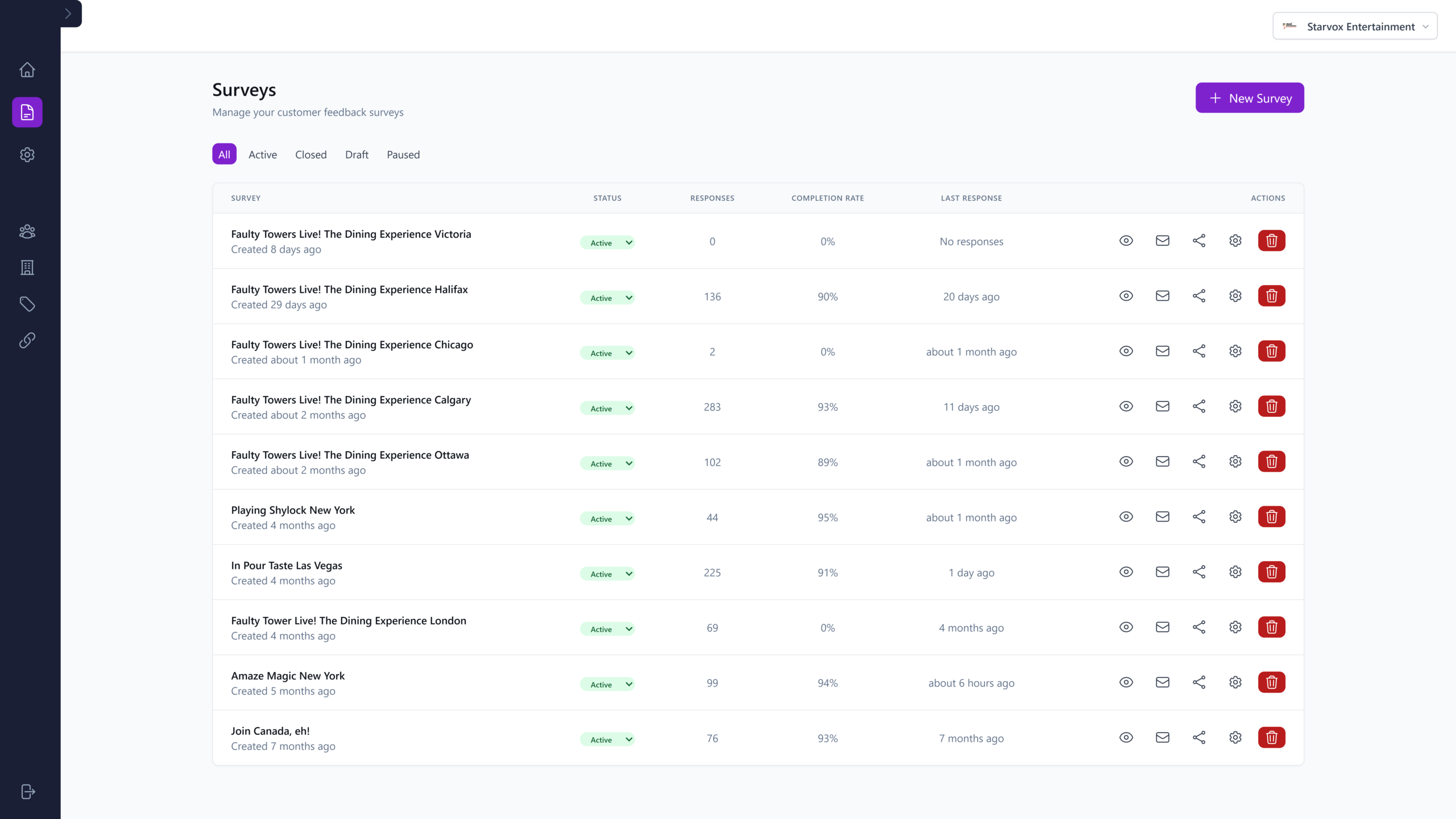
Create and Customize Surveys.

Build surveys with multiple question types: ratings, multiple choice, text, and more. Customize branding, colors, and layouts to match your organization. Duplicate templates to save time and keep consistency across campaigns.

Distribution

Send Surveys via Email

Reach your audience directly with built-in email campaigns. Import contacts, personalize messages, and track delivery. Integrate with your existing email infrastructure or use our delivery options to ensure your surveys land in the right inboxes.

Analytics

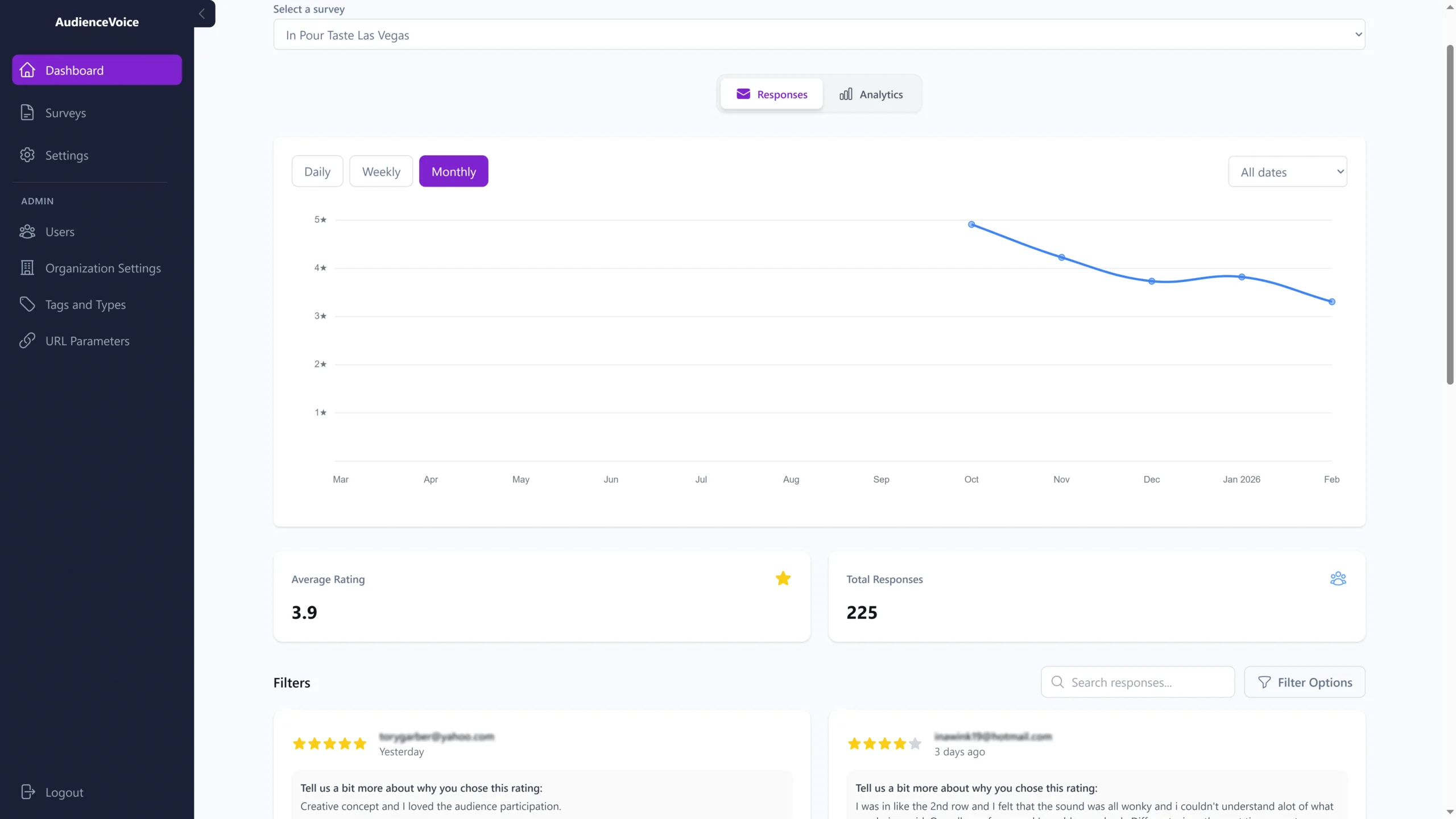
Visualize Responses with Interactive Charts

Transform raw responses into clear visualizations. Bar charts, line charts, doughnuts, and more help you spot trends and share insights with stakeholders. Filter by date, tags, and response types to dig deeper.

Export

Export Data in CSV

Need to crunch numbers in Excel or share data with your team? Export all responses or filtered subsets to CSV. Perfect for external reporting, integrations, or long-term archiving.

Organization

Multi-Organization Support

Manage multiple organizations or departments from a single account. Switch between contexts, apply different branding, and keep data separated by team, division, or client—all with role-based access control.

Responsive

Works on Any Device

Surveys look great and work smoothly on desktops, tablets, and phones. Respondents can complete surveys wherever they are, and your team can manage everything from any browser.

Get started in three steps

Our platform is designed to be straightforward and effective, letting you focus on what matters most—connecting with your audience.

01

Create your survey

Set up questions, choose question types, and apply your branding. Use tags and response types to categorize answers for richer analysis later.

02

Send it to your audience

Distribute via email, share a link, or embed in your workflows. Track who has responded and send reminders if needed.

03

Analyze and act

View real-time analytics, explore charts, filter by demographics or tags, and export data. Turn feedback into clear, actionable next steps.

Built for teams that care about feedback

Customer Satisfaction

Measure NPS, CSAT, or custom satisfaction metrics. Track changes over time and correlate feedback with specific touchpoints or campaigns.

Event & Workshop Feedback

Collect post-event feedback from attendees. Understand what worked, what didn’t, and how to improve your next event.

Employee Pulse Surveys

Run quick pulse surveys to gauge morale, engagement, or sentiment. Keep responses anonymous and segment by team or location when helpful.

Research & Insights

Gather qualitative and quantitative data for product development, market research, or strategic planning. Tag responses and use filters to uncover patterns.

Start listening to your audience today.

Create surveys, collect feedback, and make better decisions—all in one place.

Trusted by Professionals

See what our users are saying about how AudienceVoice has transformed their events and presentations.

Frequently asked questions

What kinds of questions can I add to my surveys?

You can use ratings (e.g., 1–5 stars), multiple choice, single choice, and open-text questions. Mix and match to fit your goals.

Yes. Audience Voice supports email distribution. You can configure your email settings and send surveys directly to your contacts.

Yes. Data is stored securely and access is controlled by roles and permissions. You can manage who sees what within your organization.

Absolutely. Export responses to CSV for use in Excel, Google Sheets, or other tools. You can filter before exporting to focus on specific segments.

Yes. Surveys and the dashboard are responsive and work on desktops, tablets, and phones.

Sign Up